Page 5 of 92
Re: Google Chrome Extension
Posted: 01 September 2023, 13:53
by Tof63
It is only displayed if your mouse is over the note icon, right ?
I still don't understand what is the problem ?
Re: Google Chrome Extension
Posted: 01 September 2023, 16:33
by GTSchemer
Tof63 wrote: ↑01 September 2023, 13:53
It is only displayed if your mouse is over the note icon, right ?
I still don't understand what is the problem ?
No, it pops up in every turn-based game where the developer has not added a workaround to disable it, every time the table is loaded.
If someone plays a lot of turn-based games, this popup appears every single time they switch tables, and it temporarily covers the scoreboard and important information in some games.
It can be fixed with CSS:
/* Hide the "You may note something for next time..." popup that would appear during round end, hiding the score and animation. */
#turnBasedNotesIncent {
display: none;
}
Re: Google Chrome Extension
Posted: 01 September 2023, 18:55
by Tof63
Ok thanks!
I mostly play in real time...
I will add it in next extension version then!
Re: Google Chrome Extension
Posted: 04 September 2023, 22:31
by Blacktango
Hi,
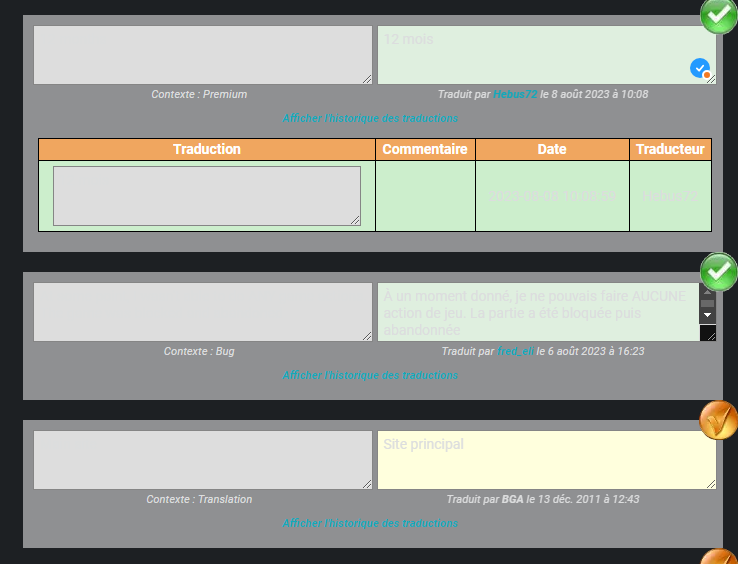
There is an issue on the
translation page, with the color of the font/background in the text areas :
- 8d283e3eb230.png (51.34 KiB) Viewed 4725 times
The left most text areas are read-only (CSS class
readonly_textarea) and on the right they can have a gold (CSS class
textarea_status_validated) or light green (CSS class
textarea_status_recorded) background color.
This overrides the color (var(--dark-40);) defined by the extension.
Re: Google Chrome Extension
Posted: 05 September 2023, 23:43
by Tof63
thanks ! It will be fixed in next release (1.8.12)
Re: Google Chrome Extension
Posted: 08 September 2023, 08:58
by Tof63
I've just released a new version (1.8.12) which should be available in the next few hours.
I've fixed the bugs that some of you have pointed out, and I've continued testing games in dark mode.
So far :
397 games tested in spectator mode
+ 55 games tested with at least one game start
There are bound to be some problems, especially as this new version displays pop-ups in dark mode (they weren't modified until now), so it's possible that for some pop-ups the text isn't readable... but this will be improved in future versions.
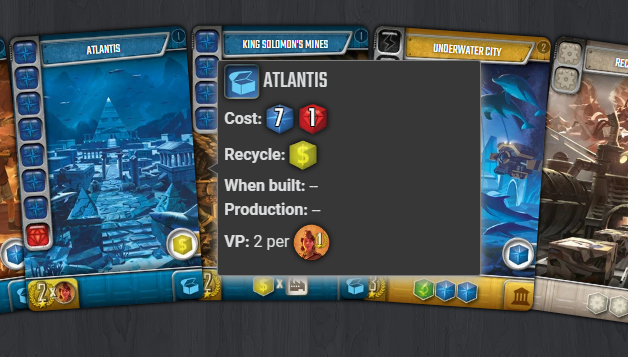
Please don't hesitate to let me know if you find any problems!
Re: Google Chrome Extension
Posted: 15 September 2023, 09:48
by Tof63
Hello !
A new version released today, will be available as soon as Google finished his evaluation ...
This new version contains corrections for many games in dark mode, and a new feature that allow you to change the background colors when you are in dark mode.
You could have a configuration for the main web site + a specific configuration for each game.
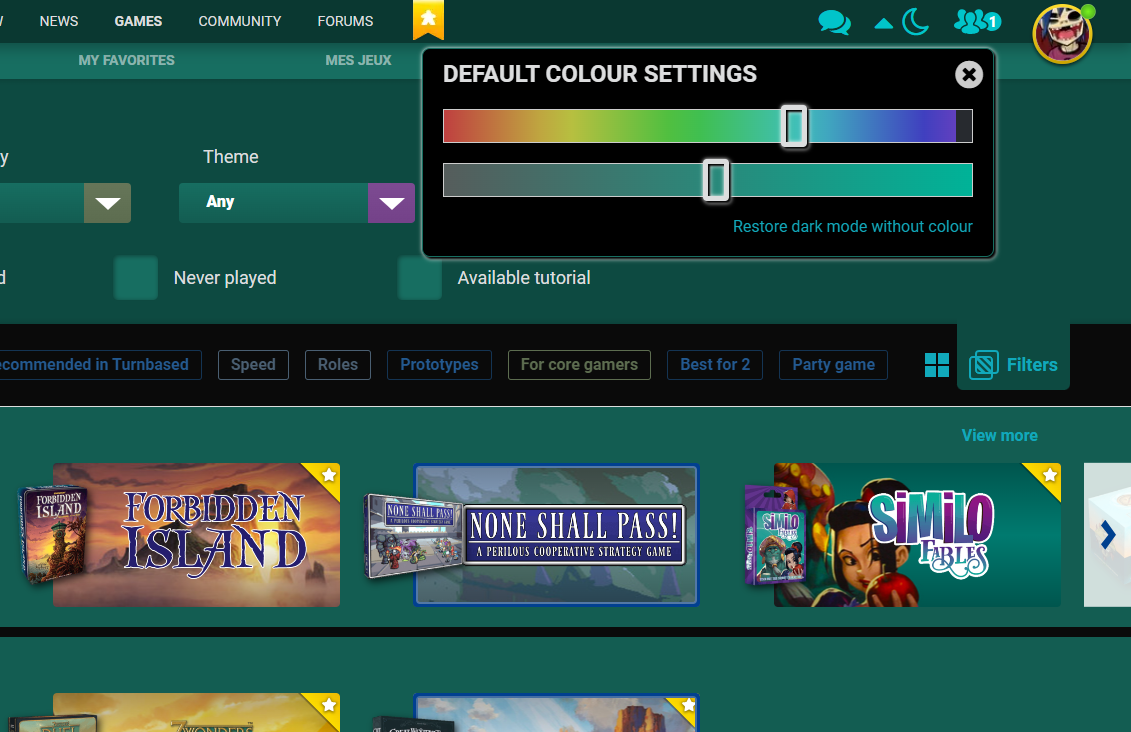
I hope you will enjoy it !
Re: Google Chrome Extension
Posted: 20 September 2023, 23:35
by Tof63
The next version (1.8.15) will be available soon.
Some screen has been fixed in dark mode (for example :
https://boardgamearena.com/tournamentlist https://boardgamearena.com/arenasuggestions?game=1630 )
447 games tested in spectator mode
+ 133 games tested with at least one game start
=> 125 Ko of customized CSS code for games in dark mode ...

(and it's not finished ...)
Nobody found an issue with a game in dark mode ?
And what do you think about the possibility to change the main color theme ?
Re: Google Chrome Extension
Posted: 10 October 2023, 15:12
by Tof63
I made a page in bga wiki to list and explain the extension features.
In french :
https://fr.doc.boardgamearena.com/ChromeExtension
In English :
https://en.doc.boardgamearena.com/ChromeExtension
Have a nice day and good games!
Re: Google Chrome Extension
Posted: 13 October 2023, 22:40
by Blacktango
Hello,
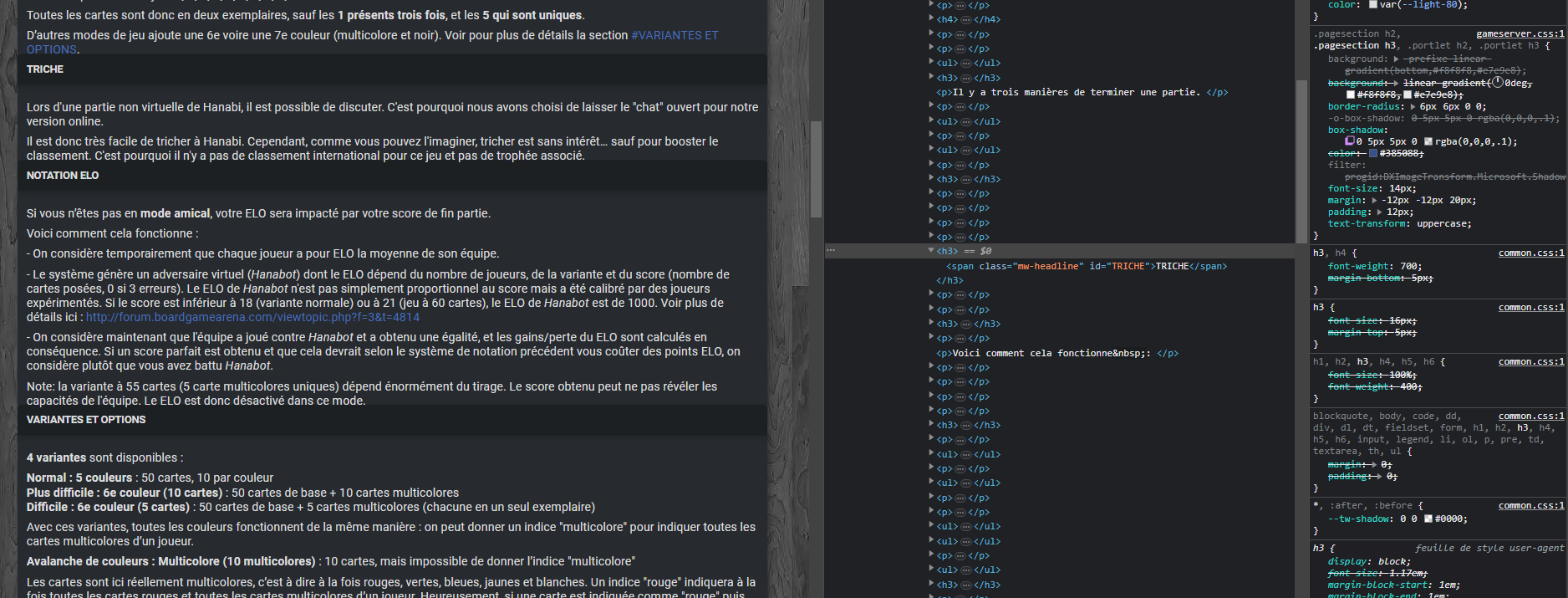
I found a little bug on the wiki tab during the game: the titles are too close from the text above.
I would add this CSS to fix it:
.wikicontent h3 {
margin-top: 20px;
}
- wiki_ingame.png (323.21 KiB) Viewed 4205 times
Another suggestion: add an option to shorten the game history for all games.
You can do this by making the player names inline:
.game_interface .log .roundedbox .playername {
display: inline !important;
}