Page 1 of 1
Set language option
Posted: 26 January 2023, 01:11
by jujulautre
In the previous interface, it was possible to set the language of the game you want to play in.
In the new interface however, I cannot find the option. Is it here ? If so, where ?

Re: Set language option
Posted: 03 February 2023, 17:08
by Blacktango
Hello,
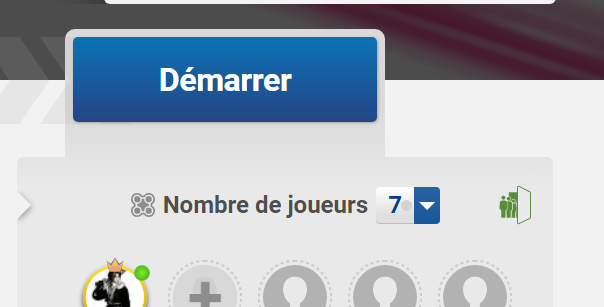
You have to click on the table restriction to define wich languages the player around the table must use.
This is the green button on the top right part of the screen (icon with people opening a door) :
Re: Set language option
Posted: 09 February 2023, 03:38
by jujulautre
Thanks for the information. That will be useful.
This isn't very intuitive though. I may file a bug report later.
Re: Set language option
Posted: 15 March 2023, 22:31
by Klapr00s
I totally agree!
Language is unclear, not intuitive. I often find out once the game has started, and even then more based ont he players than on the language setting.
I'd be happy if this is made clearer again as it was

Re: Set language option
Posted: 05 April 2023, 22:29
by IcyPot
I tried to do what Blacktango had suggested...
When I tried to start the game, I received an error: Your game option preferences for Just One are invalid...You should check or reset them."
I'd like to play the game in Spanish... (and with the mystery words appearing in Spanish).
I don't know if that is even possible. I have been a spectator for the game played in French...
Re: Set language option
Posted: 05 April 2023, 22:59
by Blacktango
Only French and English languages are available (for now?).
The game has different versions with different words (depending on the country), so adding a new language has to be done in the code of the game.
It is not like all games where the developer gives the terms in English, and the community can translate them into other languages.