Page 1 of 1

Guard Card Details

Posted: 02 April 2023, 02:23
by Ditto11
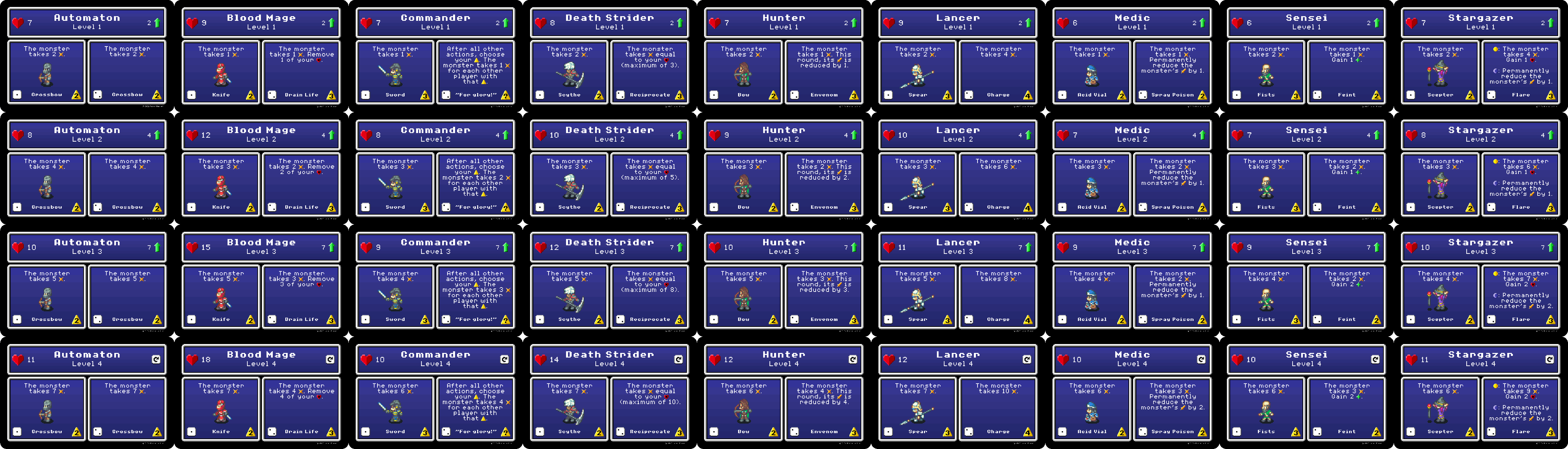
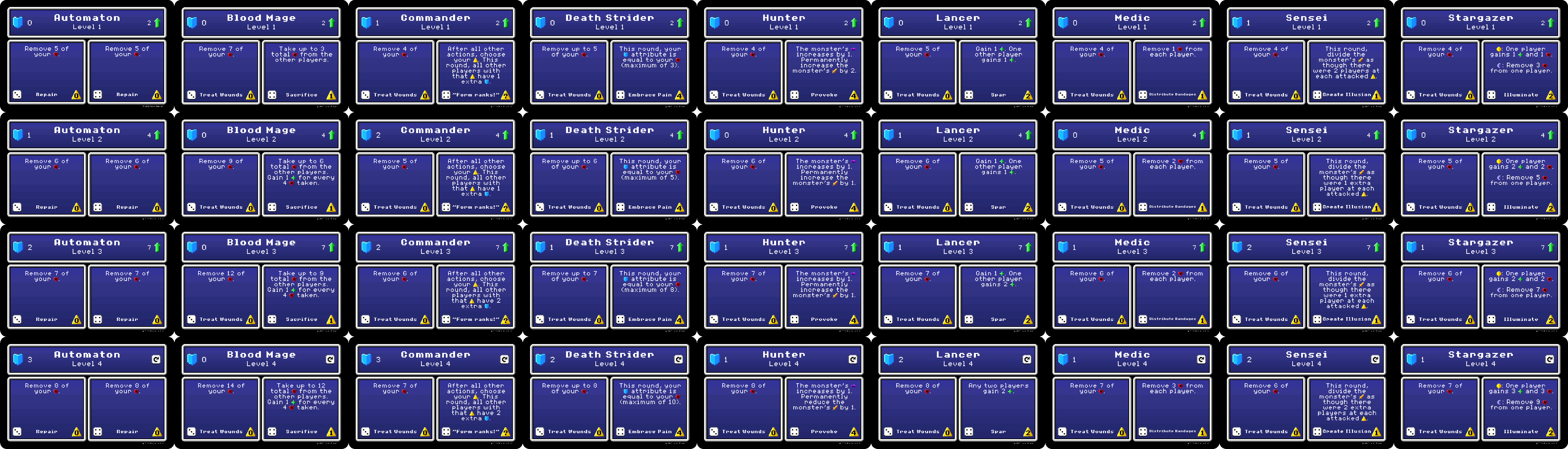
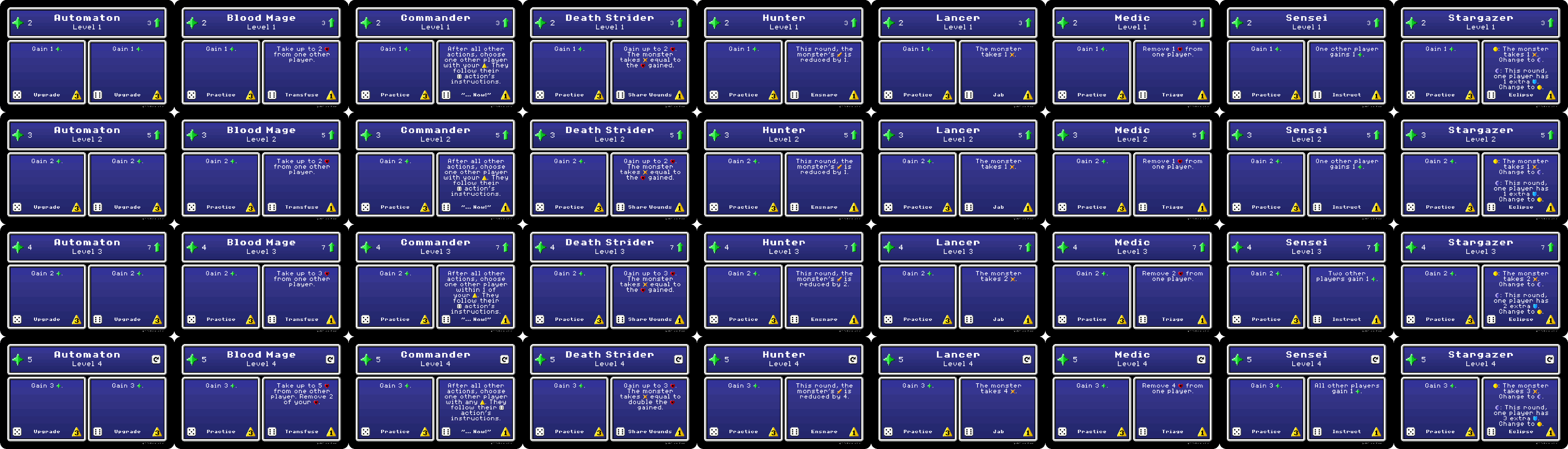
Something I found hard while starting to play this game, is learning all the guards, and what they can do. Only way seemed to be get into a game, and make everyone wait while you're scrambling to read the cards, and play in a reasonable time. ;)

To that light, I took some time to capture all the guard cards, and store them in a PDF for reference.

https://drive.google.com/file/d/1tf2rpI ... sp=sharing

Hope this can help others learning the game, or even others playing it regularly wanting to take the time to read the cards to understand what they do and formulate strategies beforehand.

Re: Guard Card Details

Posted: 07 April 2023, 01:40
by Romain672
I don't know how you did it, but if you right click on an element of bga, and click on ''Copy the link of the picture", then open a new tab, and paste that in the url, you will regularly get the list of all items similar to it.

On that game, that leave these three pictures:
https://x.boardgamearena.net/data/theme ... 2_book.png
https://x.boardgamearena.net/data/theme ... 4_book.png
https://x.boardgamearena.net/data/theme ... 6_book.png

Re: Guard Card Details

Posted: 07 April 2023, 19:09
by Ditto11
Romain672 wrote: 07 April 2023, 01:40 I don't know how you did it, but if you right click on an element of bga, and click on ''Copy the link of the picture", then open a new tab, and paste that in the url, you will regularly get the list of all items similar to it.

On that game, that leave these three pictures:
https://x.boardgamearena.net/data/theme ... 2_book.png
https://x.boardgamearena.net/data/theme ... 4_book.png
https://x.boardgamearena.net/data/theme ... 6_book.png
Very neat! did not know that. would have making this a lot easier :P hehe

Re: Guard Card Details

Posted: 09 April 2023, 00:15
by Foxman
Romain672 wrote: 07 April 2023, 01:40 I don't know how you did it, but if you right click on an element of bga, and click on ''Copy the link of the picture", then open a new tab, and paste that in the url, you will regularly get the list of all items similar to it.

On that game, that leave these three pictures:
https://x.boardgamearena.net/data/theme ... 2_book.png
https://x.boardgamearena.net/data/theme ... 4_book.png
https://x.boardgamearena.net/data/theme ... 6_book.png
That's cool! But it doesn't work for me. Do you have to be on a specific browser?

Re: Guard Card Details

Posted: 09 April 2023, 11:29
by Romain672
Foxman wrote: 09 April 2023, 00:15That's cool! But it doesn't work for me. Do you have to be on a specific browser?
Yeah, it was firefox.
I tried with chrome, and it's more complicated.
You need to right click + inspect on the element.
Then you will find somewhere an url ("url(img/upgrade_34_book.png);")
Then you click on that url, and click on the new link which appear.