Page 1 of 2
Cannot link css file to html in tutorial project
Posted: 11 October 2023, 10:32
by linhtran190897
Hi, I'm new to developing on BGA. I'm following the tutorial of gomoku but stuck at the very first part to show up the board on the screen.
So inside the .tpl file, I have include this code
Code: Select all
<!DOCTYPE html>
<html>
<head>
<link rel="stylesheet" href="gomokutklnhk.css">
</head>

<body>
<div id="gmk_game_area">
	<div id="gmk_background">
		<div id="gmk_goban">
		</div>
	</div>
</div>

</body>
</html>
and in css file I have include this
Code: Select all
#gmk_game_area {
	text-align: center;
	position: relative;
}

#gmk_background {
	width: 620px;
	height: 620px;
	position: relative;
	display: inline-block;
}

#gmk_goban {
	background-image: url('img/Goban.jpg');
	width: 620px;
	height: 620px;
	position: absolute;
}
I already download the Goban.jpg picture and put it in img folder. I also clear and disable cache to see if it helps but none work. The screen just contain this line, which is default:"This is your game interface. You can edit this HTML in your ".tpl" file.". The board did not show up. Can somebody help with this please?
Re: Cannot link css file to html in tutorial project
Posted: 11 October 2023, 10:43
by RicardoRix
You don't make a full html page doc in the .tpl file like that.
Mine looks more like this:
Code: Select all
{OVERALL_GAME_HEADER}

<div id="map"></div>

<script type="text/javascript">
// Javascript HTML templates
var jstpl_t = '<div class="${token_class}" id="${token_id}"></div>';
</script>

{OVERALL_GAME_FOOTER}
Any CSS changes will require a page reload - Ctrl-F5.
You can use the F12 inspect browser dev tools to see if your changes have taken place.
Re: Cannot link css file to html in tutorial project
Posted: 11 October 2023, 13:04
by linhtran190897
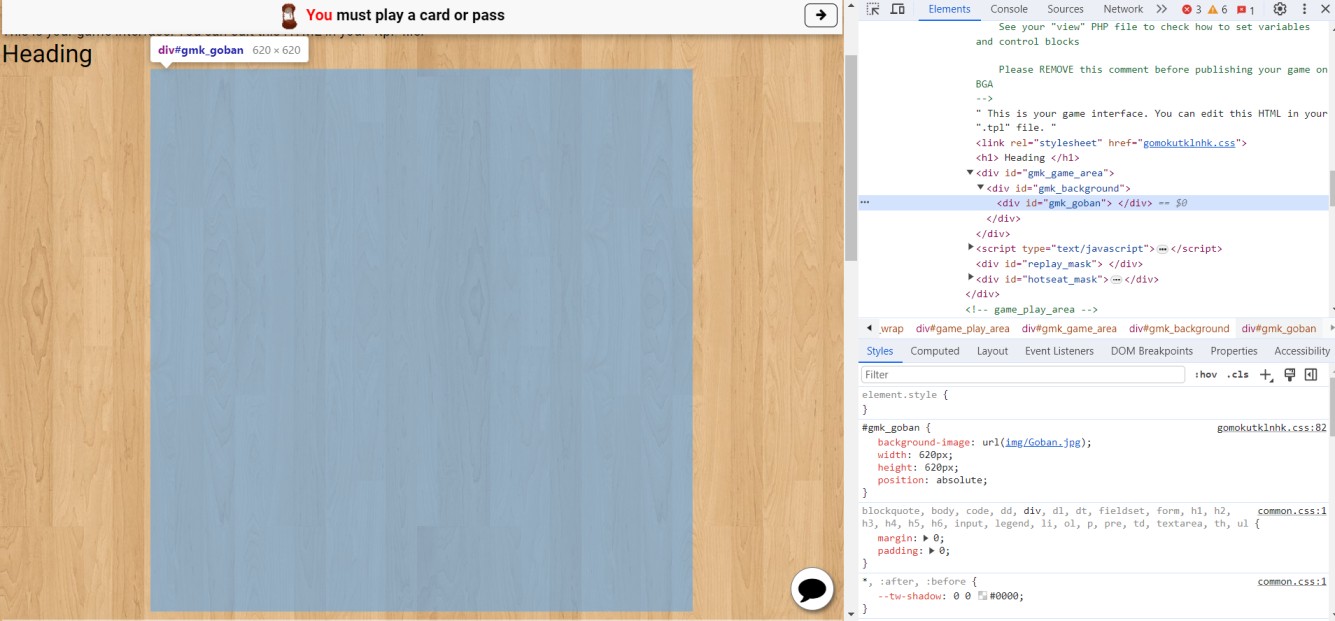
Actually before adding doctype declaration, I only include the <div> section as you did and it didn't work, so that's why I included it in. But that is not the problem I think, because when I inspect, the change has already been made, it's just the picture still does not show... I think it's probably because of the path to the image, but I don't know what's exactly wrong. How do you include the link to picture in your css?
here is what I inspect
- 387452219_2557727667727682_8501002673685435667_n.jpg (129.72 KiB) Viewed 607 times
Re: Cannot link css file to html in tutorial project
Posted: 11 October 2023, 13:48
by RicardoRix
That is correct.
Code: Select all
#board {
    position: relative;
    left: -8px;
    width: 740px;
    height: 983px;
    background-image: url('img/board.jpg');
}
In the F12 You should be able to hover over the img link and see some details:
(like a thumbnail image, and the actual link to the image, something like this)
Code: Select all
https://studio.boardgamearena.com:8084/data/themer…erchess/999999-9999/img/board.jpg
Remember a full page reload -
Ctrl-F5
Re: Cannot link css file to html in tutorial project
Posted: 13 October 2023, 05:54
by linhtran190897
Sorry for late reply.
Yep already did a full page load but it still did not show. I do see an address when hovering over the link though
Code: Select all
https://studio.boardgamearena.com:8084/data/themereleases/current/games/gomokutklnhk/999999-9999/img/goban.jpg
but in the Console, it indicates this problem
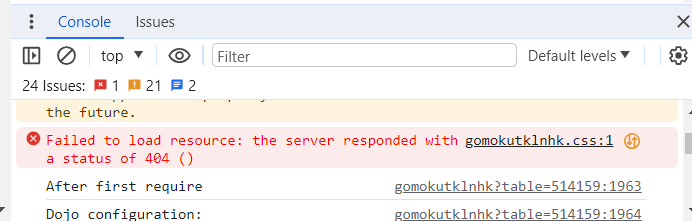
- Screenshot 2023-10-13 115222.png (20.95 KiB) Viewed 550 times
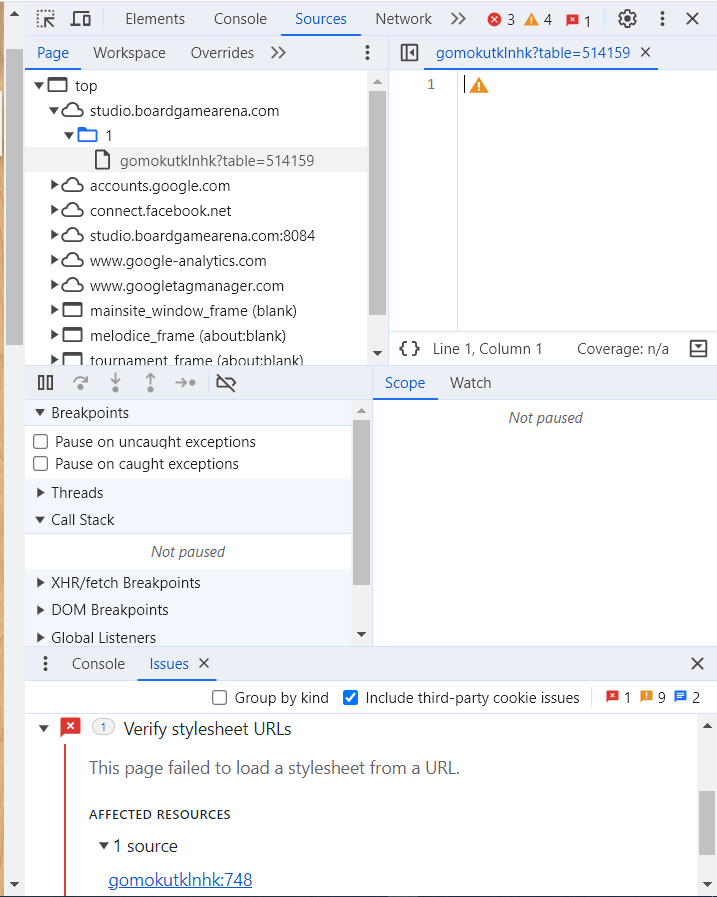
- Screenshot 2023-10-13 114752.png (74.54 KiB) Viewed 550 times
Re: Cannot link css file to html in tutorial project
Posted: 13 October 2023, 15:56
by RicardoRix
1.
I believe you have this still in your .tpl file
Code: Select all
<link rel="stylesheet" href="gomokutklnhk.css">
remove it!
get a proper copy of the .tpl file.
2.
The image is giving a 404, which suggests that you're not uploading it.
Do you have folders automatically synchronized with your FTP program?
Re: Cannot link css file to html in tutorial project
Posted: 13 October 2023, 17:56
by linhtran190897
okay removed the link tag, nothing change, it still did now show.
in regards to SFTP, I think I do have it automatically synchronized because every time I hit crtl save in my visual studio code, these appear

- Screenshot 2023-10-13 233312.png (1.98 KiB) Viewed 514 times

- Screenshot 2023-10-13 233242.png (2.72 KiB) Viewed 514 times
How can I check for sure if I have uploaded the image to the SFTP folder? This problem has been bugging me for days..
Re: Cannot link css file to html in tutorial project
Posted: 13 October 2023, 18:18
by linhtran190897
Sometimes the error appears like this in the inspection

- Screenshot 2023-10-14 001736.png (9.7 KiB) Viewed 510 times
Re: Cannot link css file to html in tutorial project
Posted: 13 October 2023, 20:47
by RicardoRix
All of the images in your img folder get a 404.
linhtran190897 wrote: ↑13 October 2023, 17:56
How can I check for sure if I have uploaded the image to the SFTP folder? This problem has been bugging me for days..
Once it's 'folder synchronized', you shouldn't really have to do anything. However you have a distinct problem with the img folder. Difficult to know the exact problem. Possibly file \ directory permissions got screwed up somehow.
Mess around the best you can. It's worth deleting and then copying back to the local folder, see if you get a 'update message' of sorts from the FTP program... Last resort, just make a new project.
You should be able to put this url directly in a browser and just view the image.
https://studio.boardgamearena.com:8084/ ... /goban.jpg
Re: Cannot link css file to html in tutorial project
Posted: 13 October 2023, 20:55
by linhtran190897
I cannot see the image when clicking the link, it is 404...
yeah i will probably make a new project then. thanks so much
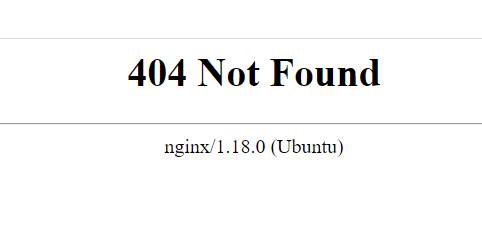
- Screenshot 2023-10-14 025412.png (7.64 KiB) Viewed 492 times
