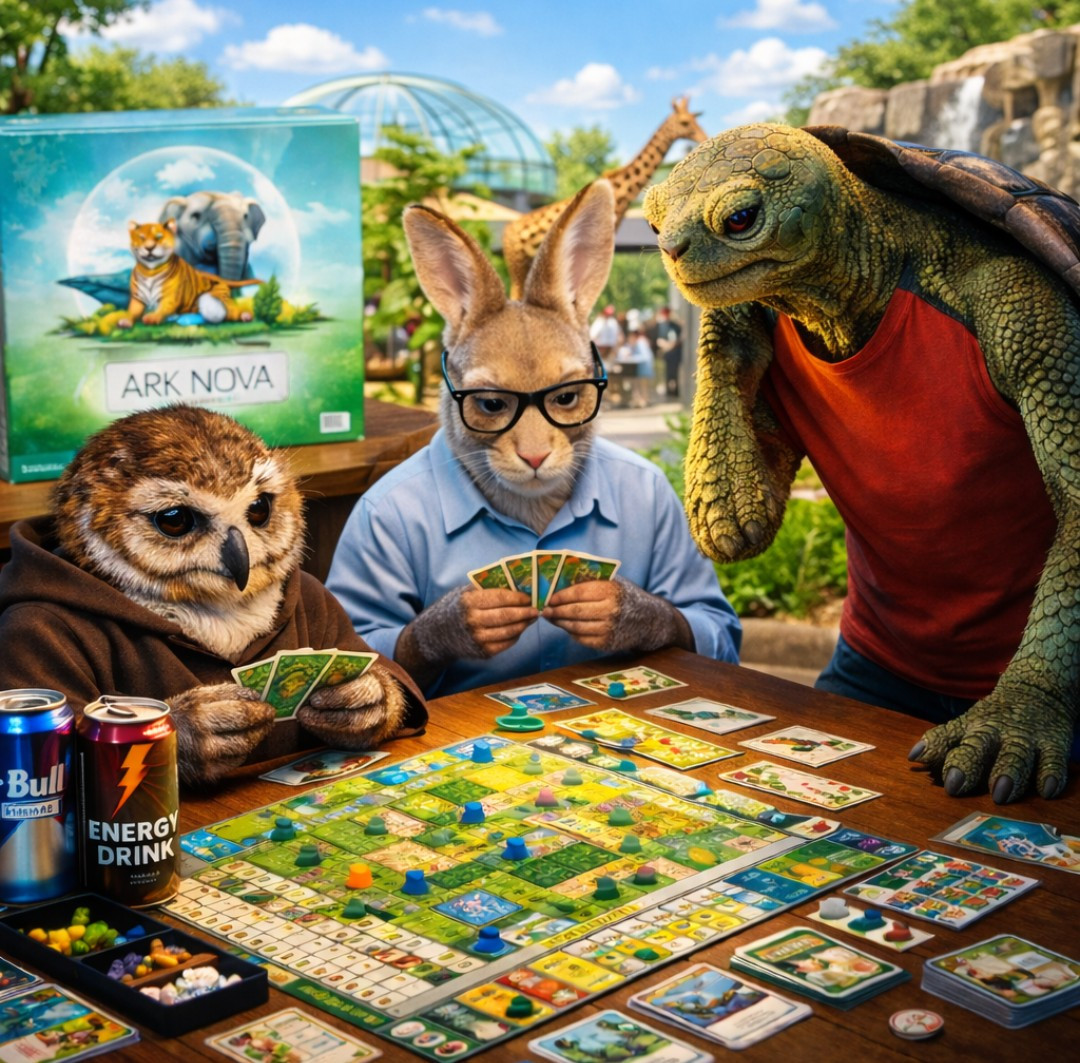
Immersive real-life photo at Ark Nova
Posted: 06 October 2026, 06:36
I recreated real photos of my Ark Nova group using AI and asked it to add game elements to the background—this was the result. I liked it.

-
-

-
-

-
-

-
-

-
-
-
Prompt:
Edit the attached real photograph for the portrait area of a custom Ark Nova entrepreneur card.
Remove the original background and replace it with a believable setting inspired by Ark Nova’s zoo management and conservation theme. Match the environment to this character’s role: [INSERT ROLE: investor, researcher, architect, conservationist, or sponsor].
Suggested environments:
* Investor: a modern zoo management office overlooking landscaped animal habitats.
* Researcher: a zoo research laboratory with microscopes, botanical specimens, and greenhouse plants.
* Architect: a habitat planning studio with blueprints and architectural models.
* Conservationist: a lush wildlife reserve with a distant ranger station.
* Sponsor: a welcoming zoo entrance or event pavilion with tasteful signage and tropical landscaping.
Preserve the person’s identity and appearance as faithfully as possible. Keep their facial features, expression, skin tone, hairstyle, facial hair, glasses, clothing, accessories, tattoos, body proportions, pose, and hand gestures. Do not beautify, reshape, or reinterpret the person. If photographed from behind or in profile, preserve that viewpoint; do not invent a face or turn them toward the camera.
Change only the background, with subtle lighting and color adjustments to integrate the person naturally. Preserve realistic hair edges and fine details. Avoid halos, distorted hands, extra fingers, altered tattoos, or artificial skin.
Use natural photographic realism, soft daylight, harmonious greens and earth tones, and a slightly blurred background that keeps the person as the main subject. The result should resemble a professional photograph suitable for an Ark Nova card illustration.
Compose the image in a landscape 3:2 format, keeping the entire head, hairstyle, and important gestures visible. Leave sufficient space around the subject for later cropping and card layout.
Output only the edited photograph. Do not add a card frame, rules, text, icons, logos, watermarks, or additional people.
-
-
-
-
-
-
-
-
-
-
-
Prompt:
Edit the attached real photograph for the portrait area of a custom Ark Nova entrepreneur card.
Remove the original background and replace it with a believable setting inspired by Ark Nova’s zoo management and conservation theme. Match the environment to this character’s role: [INSERT ROLE: investor, researcher, architect, conservationist, or sponsor].
Suggested environments:
* Investor: a modern zoo management office overlooking landscaped animal habitats.
* Researcher: a zoo research laboratory with microscopes, botanical specimens, and greenhouse plants.
* Architect: a habitat planning studio with blueprints and architectural models.
* Conservationist: a lush wildlife reserve with a distant ranger station.
* Sponsor: a welcoming zoo entrance or event pavilion with tasteful signage and tropical landscaping.
Preserve the person’s identity and appearance as faithfully as possible. Keep their facial features, expression, skin tone, hairstyle, facial hair, glasses, clothing, accessories, tattoos, body proportions, pose, and hand gestures. Do not beautify, reshape, or reinterpret the person. If photographed from behind or in profile, preserve that viewpoint; do not invent a face or turn them toward the camera.
Change only the background, with subtle lighting and color adjustments to integrate the person naturally. Preserve realistic hair edges and fine details. Avoid halos, distorted hands, extra fingers, altered tattoos, or artificial skin.
Use natural photographic realism, soft daylight, harmonious greens and earth tones, and a slightly blurred background that keeps the person as the main subject. The result should resemble a professional photograph suitable for an Ark Nova card illustration.
Compose the image in a landscape 3:2 format, keeping the entire head, hairstyle, and important gestures visible. Leave sufficient space around the subject for later cropping and card layout.
Output only the edited photograph. Do not add a card frame, rules, text, icons, logos, watermarks, or additional people.