Re: Google Chrome Extension
Posted: 10 July 2024, 22:08
To customize the CSS, you need to go on the plugins page of your browser, and go to the settings of the extension.
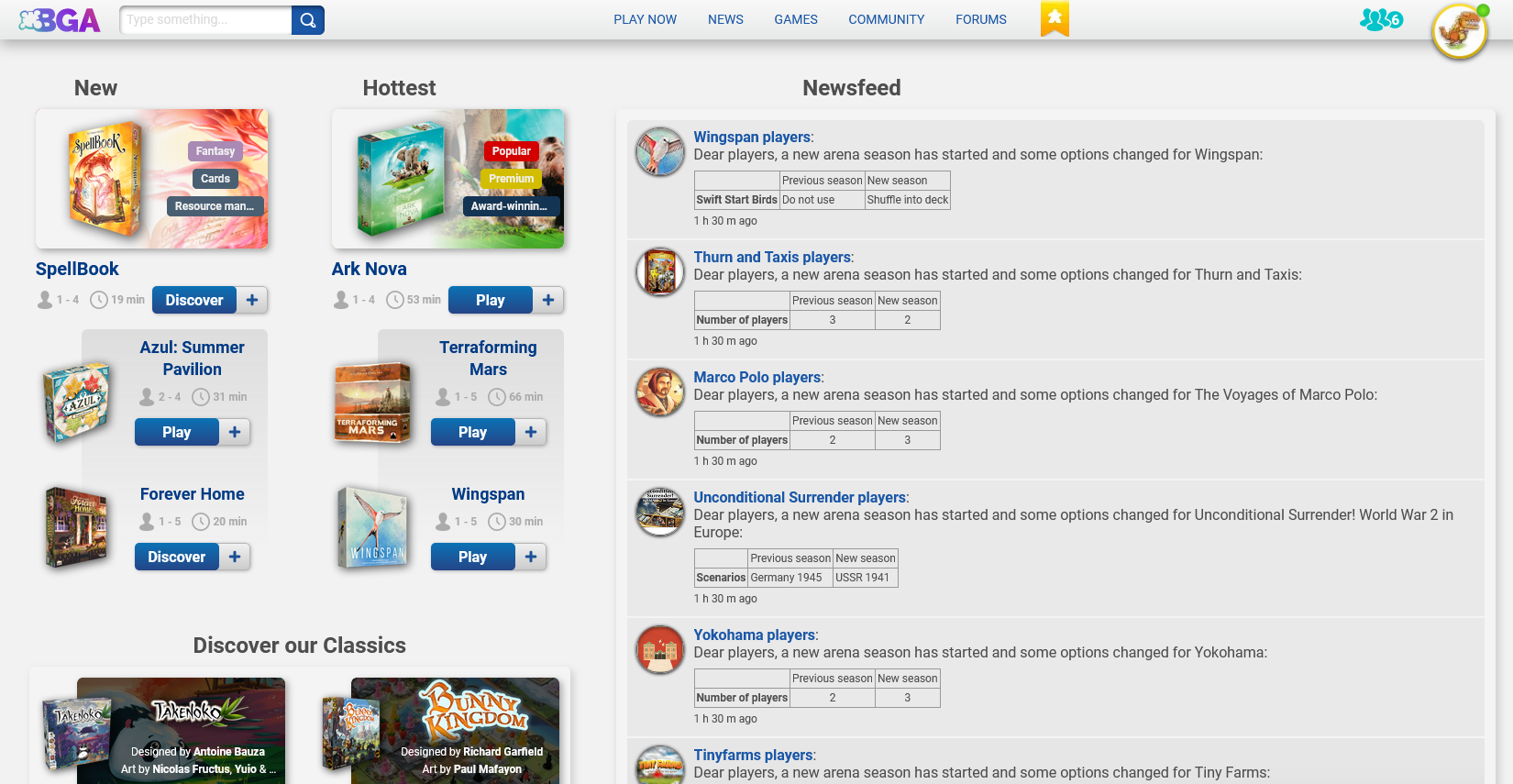
You are in the right place, if you have the version 1.9.20 of the extension you should have a new area called "Visible elements on the home page".buu441 wrote: ↑10 July 2024, 21:34Wow this looks pretty neat.GTSchemer wrote: ↑10 July 2024, 15:30buu441 wrote: ↑10 July 2024, 13:00 Well the most ideal thing would be to just revert it back to the way it was haha. Generally, I am looking for ways to hide all the bloat (so kind kill/hide elements on the page) on the homepage and just retain the boxes with newsfeed, tournaments and service status.I was experimenting with something similar. A screenshot: https://s20.directupload.net/images/240710/8mvhzp88.pngJellby wrote: ↑10 July 2024, 13:31 A start:Code: Select all
.bga-homepage__games-section, .bga-homepage-header, .bga-latest-news__carousel, .bga-discover { display: none; }
This was a quick attempt, so if anyone is interested in the CSS for personal / Chrome extension use, let me know and I can try to assemble it.
@tof63 : I'll fiddle around with the settings and see what you cooked. Thanks!
Edit: the only options i see in the settings tab currently are table tracking, hidden games and about. updated extensions already. am i missing something?
Yep, but we are talking about some new settings to customize the home pageBlacktango wrote: ↑10 July 2024, 22:08 To customize the CSS, you need to go on the plugins page of your browser, and go to the settings of the extension.

Yup the settings are showing now. And it works great. Thanks!Tof63 wrote: ↑11 July 2024, 07:55You are in the right place, if you have the version 1.9.20 of the extension you should have a new area called "Visible elements on the home page".buu441 wrote: ↑10 July 2024, 21:34Wow this looks pretty neat.GTSchemer wrote: ↑10 July 2024, 15:30
I was experimenting with something similar. A screenshot: https://s20.directupload.net/images/240710/8mvhzp88.png
This was a quick attempt, so if anyone is interested in the CSS for personal / Chrome extension use, let me know and I can try to assemble it.
@tof63 : I'll fiddle around with the settings and see what you cooked. Thanks!
Edit: the only options i see in the settings tab currently are table tracking, hidden games and about. updated extensions already. am i missing something?