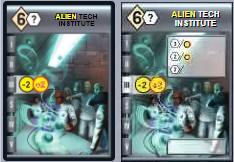
Improved graphics

Forum rules
Please DO NOT POST BUGS on this forum. Please report (and vote) bugs on : https://boardgamearena.com/#!bugs
User avatar
sylfirbolg
Posts: 5
Joined: 14 December 2020, 16:01

Re: Improved graphics

Post by sylfirbolg »

Daulken wrote: 19 February 2021, 16:07 These are not improved graphics. This are "pretty" graphics that kill game play and make the implementation decidedly worse than it was before.

I can't believe anyone actually likes this, where the cards (that you could mouse over before just fine) are so big you can't see what your opponent is doing without scrolling around.
Take a second to ask yourself what you can do to be a more positive contributor to this community.

All of your complaints can be changed via the preferences to the way you prefer it. This improvement makes it easier for more people to configure their settings to their own liking.

On top of that, try to appreciate that there are people working to make this game available for you to play from the comfort of your own couch with people around the world for virtually no cost.
User avatar
SydCixel
Posts: 2
Joined: 27 April 2020, 03:48

Re: Improved graphics

Post by SydCixel »

Is there any option to restore the old card title size and color?
I find it very difficult to read the smaller black text on a dark grey background.

Comparison image (fullscreen 1920x1080 display, Tiny-size card setting):
https://i.gyazo.com/887b1b8c9f297147611 ... c3ec97.png
User avatar
galehar
Posts: 136
Joined: 29 March 2015, 00:12

Re: Improved graphics

Post by galehar »

SydCixel wrote: 19 February 2021, 21:05 Is there any option to restore the old card title size and color?
I find it very difficult to read the smaller black text on a dark grey background.

Comparison image (fullscreen 1920x1080 display, Tiny-size card setting):
https://i.gyazo.com/887b1b8c9f297147611 ... c3ec97.png
I added an option today to change the text color to white. Regarding the text size, maybe I ended up with a slightly smaller size than it used to be. The previous font size was too big for the card header, but it's so small, maybe it's a better compromise.
User avatar
technomage116
Posts: 14
Joined: 05 May 2020, 04:51

Re: Improved graphics

Post by technomage116 »

Thanks for your dev work!
User avatar
meuty
Posts: 3
Joined: 10 November 2016, 00:01

Re: Improved graphics

Post by meuty »

It's great thanks ! Just one tiny problem, when you select resources to consume, the card pop on the screen.
User avatar
Jiffs
Posts: 10
Joined: 06 September 2016, 21:50

Re: Improved graphics

Post by Jiffs »

Playing on Chrome on a Linux distro and I'm sorry, but the new cards seem blurry and hurt my eyes compared to the old one.
I've tried tweaking the settings white / black text, large small and tiny sizes.

I really love this game, but I just can't play it on this computer any more as it gives me a headache. (It was also this way on my Android phone)

:(

Is there any way to sharpen the text on the cards graphics? Beyond the adjustments previously mentioned.

I do appreciate the effort that went in trying to make them better, but it simply isn't.

I don't have a copy to compare, but for reference I'm going to agree with the link the other user posted.

https://i.gyazo.com/887b1b8c9f297147611 ... c3ec97.png

I'm sorry to report I'm not happy with the changes.
User avatar
aiscifi
Posts: 1
Joined: 20 September 2020, 00:22

Re: Improved graphics

Post by aiscifi »

These graphic improvements are great and we all appreciate your efforts!
User avatar
Jiffs
Posts: 10
Joined: 06 September 2016, 21:50

Re: Improved graphics

Post by Jiffs »

galehar wrote: 19 February 2021, 21:23
SydCixel wrote: 19 February 2021, 21:05 Is there any option to restore the old card title size and color?
I find it very difficult to read the smaller black text on a dark grey background.

Comparison image (fullscreen 1920x1080 display, Tiny-size card setting):
https://i.gyazo.com/887b1b8c9f297147611 ... c3ec97.png
I added an option today to change the text color to white. Regarding the text size, maybe I ended up with a slightly smaller size than it used to be. The previous font size was too big for the card header, but it's so small, maybe it's a better compromise.
Tried this as well on my PC tonight and the text size is just too small. My informal poll with with the folks I played with felt the same way. Really hope you can find the way to make the text back to its previous size or use a more readable font.
User avatar
galehar
Posts: 136
Joined: 29 March 2015, 00:12

Re: Improved graphics

Post by galehar »

sylfirbolg wrote: 19 February 2021, 17:07 Great improvements! Is there a way to see the hover tips when playing on a tablet?
I think I've figured it out. Hold your finger on a card and the tooltip should popup after a second. Note that this doesn't work if you tap the card, then hold your finger on the same card. If it doesn't pop, just tap anywhere but the card, then hold your finger on the card. I've tested this on firefox android.
meuty wrote: 20 February 2021, 22:46 It's great thanks ! Just one tiny problem, when you select resources to consume, the card pop on the screen.
Yeah, there's something really weird on mobile. When tapping goods, the event triggers the card tooltip. I don't understand why it's doing that. I've pushed a workaround so it should be better, but it's not absolutely reliable.
Jiffs wrote: 21 February 2021, 03:28 Playing on Chrome on a Linux distro and I'm sorry, but the new cards seem blurry and hurt my eyes compared to the old one.
I've tried tweaking the settings white / black text, large small and tiny sizes.
I'm sorry to report I'm not happy with the changes.
Well, I have no idea what's going on with your browser. I haven't tested on Linux, but I did test on both Chrome and Firefox on Windows. Here is a comparison: Image
On the left, the original version. In the middle, Firefox. On the right Chrome. The text is identical. The Chrome version is slightly more blurry than the Firefox version, but still better than the original version.

As I said in the original post, if you notice a graphical glitch or any visual problem, please provide a screenshot, and full browser and OS versions.
Yajster666
Posts: 1
Joined: 07 April 2020, 23:45

Re: Improved graphics

Post by Yajster666 »

Great news - my regular players all appreciate this Greg! :D
Post Reply

Return to “Race for the Galaxy”